

Deep Links
Pairing a charging site with a partner using a deep link.
We've recently implemented Deep Links that work with our Easee App, allowing you to provide a url that an Easee end user can follow to set your partner operator for a site.
| Field | Description |
|---|---|
| sid | Optional Site id, this can be omitted, which results in the user having to select which site to pair with. |
| pid | Partner id. |
| ptype | Partner type, Installer(1), Operator/CPO(2) or Support(3). |
| cback | Optional Callback url, this can be omitted. Easee frontends will append siteId, chargerIds and equalizer Ids as query params to the url then navigate to this url on completion. |
Below is a sample python script that you can use to generate the Deep Link URL,
if your partner id is '9000' you would edit the partner_id field and set it to '9000', the callback is optional and not required, as is the site id.
import urllib.parse
import json5
from typing import Optional

partner_id : int = 9000
partner_type : int = 2
site_id : Optional[int] = 1234
callback_url : Optional[str] = "https://partnerlink/integration/easee"

data = {
	"pid": partner_id,
	"ptype": partner_type
}
if site_id is not None:
	data["sid"] = site_id
if callback_url is not None:
	data["cback"] = callback_url

data = json5.dumps(data)

item = urllib.parse.quote_plus(data)

url = f"https://portal.easee.com/apps/any/open?action=14&item={item}"
If a callback url is supplied in the item payload, the Easee frontend will attempt to load the url, adding query parameters with information about the paired site, including siteId, chargerId for 1 or more chargers and an equalizer id if there is one on the charge site.
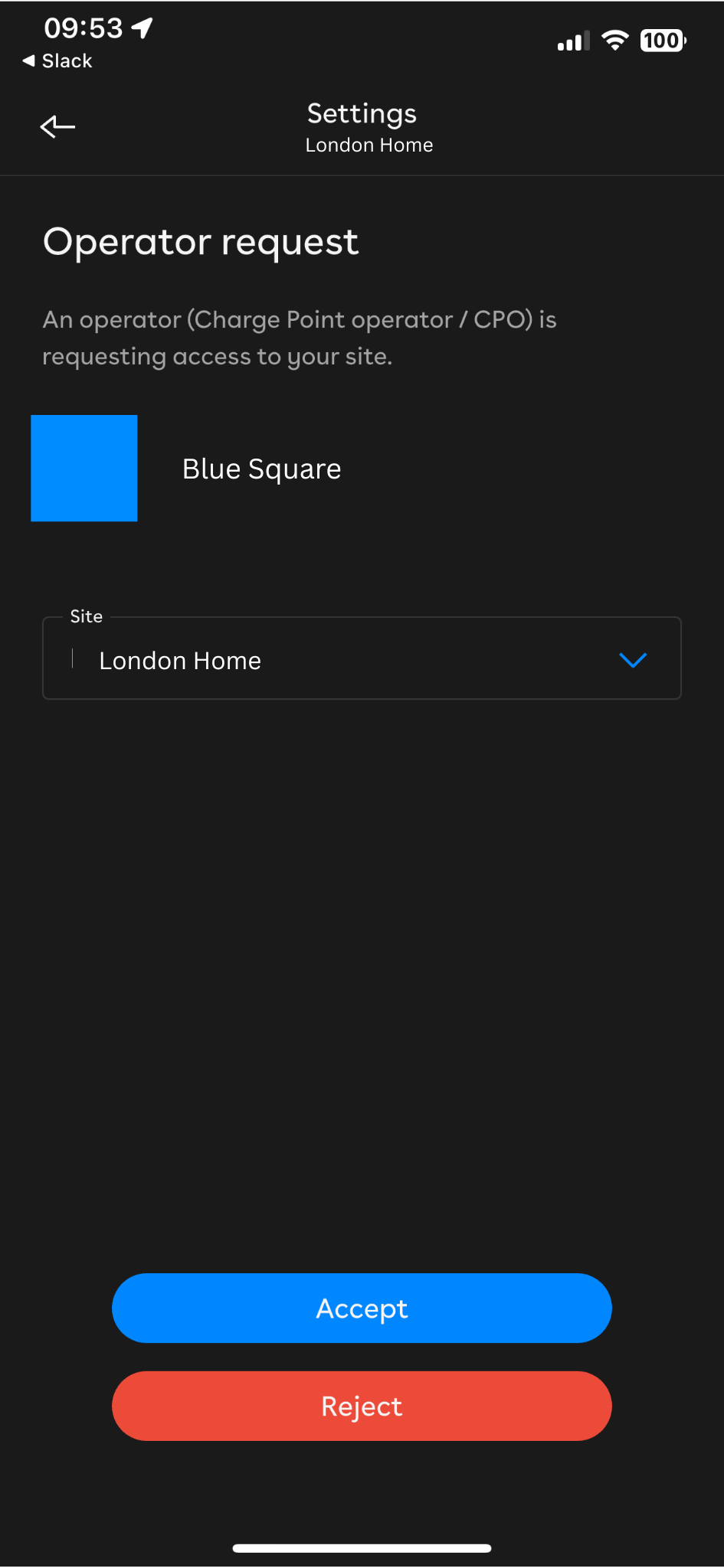
When this link is opened it will open the Easee frontend where the user can confirm the change. You can see an example of what this would look like in an Easee mobile app at the bottom of this page.
We are continuously working to improve our offerings, so deep links will evolve as time goes on.
Updated about 7 hours ago